We have seen meeting rooms that cost a lot to fit out and still do not work. A camera that shows the ceiling. Microphones that cannot handle the room acoustics. A control system nobody knows how to operate. The hardware was fine. The design was not.
At Ambiant, we visit your space before recommending anything. We understand how your team meets, what platforms you use, and what a successful outcome looks like. Then we design a system around that.
Microsoft Partner
Teams Rooms, Intune, and Microsoft 365 integration handled end to end.
Every corporate installation includes:
Free site visit and space assessment
Fixed-price quote, no hidden costs
Microsoft 365 and Teams integration
Certified installation and commissioning
Certified hardware, professionally installed
Auckland-based support after handover
Q-SYS control system programming where required
Staff training on handover day
Auckland-based support after installation
Corporate Audio Visual Solutions
What We Deliver for NZ Businesses
From a single boardroom upgrade to a multi-floor workplace fitout, Ambiant handles design, supply, installation, and ongoing support.
🖥️
Video Conferencing
Teams, Zoom, and Google Meet certified rooms with auto-tracking cameras, Shure ceiling mics, and Biamp DSP audio. One-touch join, every time.
Created in your tenant with correct licence assignment
Teams Admin Centre enrolment
Device managed and monitored centrally
Intune device management
Enrolled, policy-applied, and update-managed
Exchange calendar integration
Room appears in Outlook for booking immediately
End-to-end test call before handover
Audio, video, content share, and recording verified
Microsoft Teams Rooms
More than a screen and a laptop.
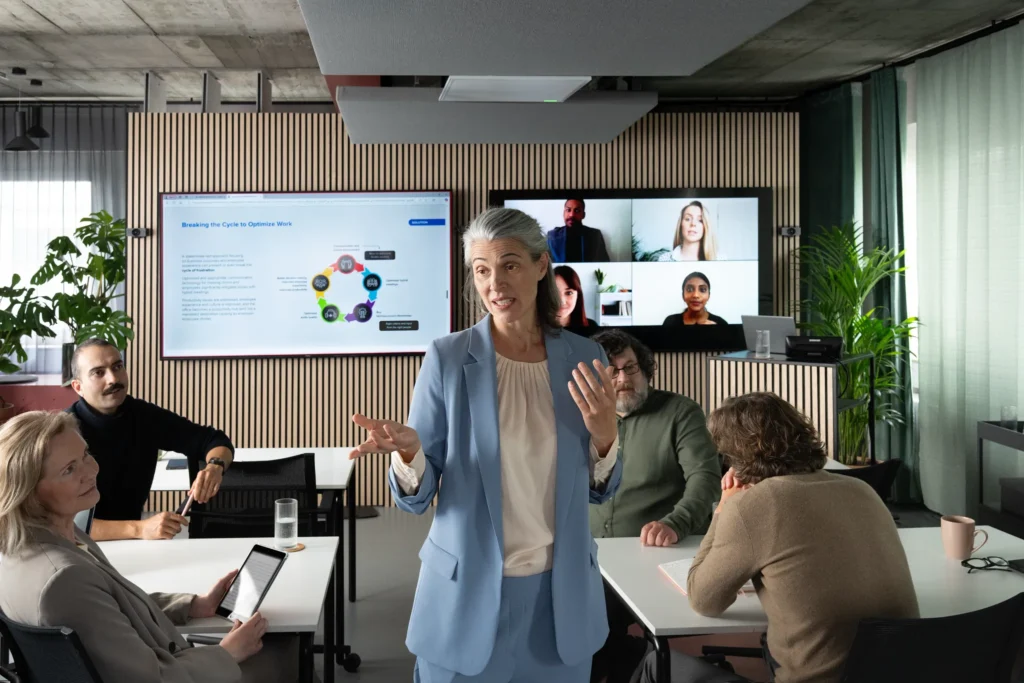
A Microsoft Teams Room is a dedicated, certified hardware and software platform that transforms a standard meeting room into an always-ready Teams space. Not a laptop plugged into a TV. Not a Bluetooth speaker and a webcam.
Walk in. Tap the touch panel. The meeting joins automatically, with audio, video, and content sharing configured and tested in advance.
Ambiant is backed by Netcare, which means our team understands Azure AD, Intune, Exchange, and Teams Admin Centre. We handle the Microsoft 365 configuration, not just the hardware.
Why Schools Choose Ambiant
IT expertise behind every AV project.
Most AV companies install hardware. Ambiant integrates it. Backed by Netcare since 1999, we understand the IT environment your AV needs to work inside.
Microsoft 365 Integration
We configure Teams Rooms, Intune, Exchange, and Azure AD as part of every installation, not as an afterthought.
Network-Aware Design
AV systems that integrate with your VLANs, QoS policies, and IT security requirements from the outset.
Certified Hardware Only
Microsoft, Zoom, and Google certified hardware in every room. Certification means guaranteed compatibility and performance.
Design, supply, installation, Microsoft 365 configuration, training, and support. One team, one accountability.
Auckland-Based Support
Fast response from a local team. No overseas call centres, no waiting in a support queue.
How It Works
From brief to boardroom.
Every corporate AV project follows the same process. Straightforward, accountable, and planned around your schedule.
1
Consultation
Free site visit. We assess your space, understand your meeting
workflows, and confirm what platform you are running.
2
Design and Quote
System design drawings, hardware specification, and a fixed-price
quote. No surprises after sign-off.
3
Installation and Handover
Certified installation, Microsoft 365 configuration, full testing,
and staff training. The room works before we leave.
What Sets Us Apart
The IT background that makes the difference.
🏗️
AV and IT under one roof
Promethean and SMART interactive flat panels. 4K, 20-point touch, wireless sharing. Works with Google Workspace and Microsoft 365.
📋
Fixed-price, no surprises
Every project quoted at a fixed price before any work begins. Scope changes are agreed in writing before they happen.
⏱️
Minimal business disruption
We schedule installation around your business hours. Evening and weekend work is available where required.
🛡️
Long-term support available
Managed AV agreements with remote monitoring, scheduled maintenance, and agreed response times.
FAQ
Common Questions About Interactive Displays
Answers to the questions we get asked most.
What is the difference between a Microsoft Teams Room and just using Teams on a laptop?
A Microsoft Teams Room is a dedicated, always-on platform certified by Microsoft. It joins meetings automatically via the room calendar with audio and video configured in advance. A laptop relies on the user setting everything up correctly each time, with Bluetooth audio, webcam positioning, and connectivity all variable. In a meeting room used by multiple people, the Teams Room is significantly more reliable.
Do you handle the Microsoft 365 side of a Teams Room installation?
Yes. We create the room resource account in your Microsoft 365 tenant, assign the Teams Rooms licence, enrol the device in Intune, configure it in Teams Admin Centre, and integrate the room booking with your Exchange calendar. We do not hand you a device and leave the IT configuration to your internal team.
Can you install outside business hours to avoid disruption?
Yes. Evening and weekend installation is standard for occupied office environments. We agree the schedule with you during the planning phase and coordinate with building management where required.
What is Q-SYS and do we need it?
Q-SYS is a professional AV control and audio processing platform that brings all room components under a single touch panel. Not every room needs it. It is most valuable in larger rooms with multiple inputs, or where you want one-touch presets for different meeting scenarios. We advise during the consultation whether it is the right fit for your space.
We use Zoom rather than Teams. Can you build a Zoom Room instead?
Yes. We install and configure certified Zoom Rooms hardware and support mixed environments where some rooms are Teams-certified and others are Zoom-certified. We also support Google Meet certified hardware. The approach depends on what your organisation primarily uses.
Do you offer ongoing support after installation?
Yes. We offer managed AV service agreements with remote monitoring, scheduled maintenance visits, firmware update management, and agreed response times. These are particularly useful for multi-room environments where consistent performance across several spaces matters.
Related Pages
Explore More
📹
Video Conferencing
Teams, Zoom, and Google Meet certified room solutions