
Ambiant designs and installs certified Microsoft Teams Rooms for New Zealand businesses, with professional hardware configuration that ensures every meeting room joins calls instantly, sounds brilliant, and performs reliably when it matters most.
A Microsoft Teams Room (MTR) is a dedicated hardware and software platform from Microsoft that transforms a standard meeting room into a certified, always-ready Teams meeting space.
Unlike setting up a laptop and hoping the Bluetooth works, a Teams Room is always on, always connected, and always running the latest Teams firmware. Walk in, tap join, and the meeting starts, audio, video, and content sharing all configured and tested in advance.
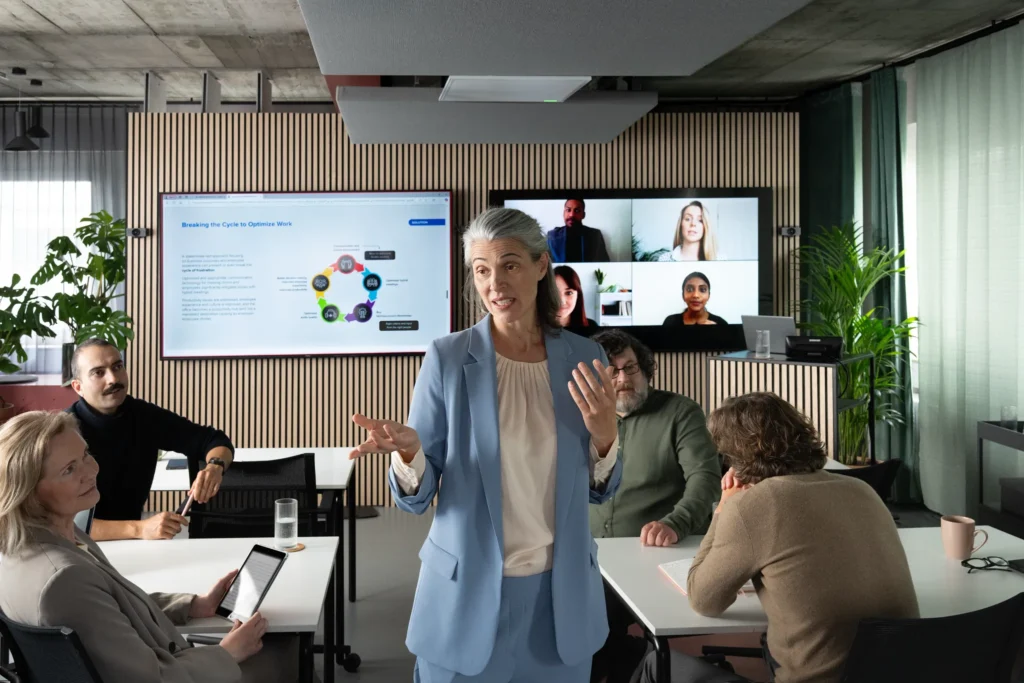
Microsoft certifies specific hardware combinations for Teams Rooms, cameras, microphones, speakers, and compute units that have been tested together to deliver consistent, high-quality experiences. Non-certified hardware may work, but it isn’t guaranteed to, and in a business environment, “may work” isn’t good enough.
Ambiant only installs Microsoft-certified Teams Rooms hardware. Every component, from the camera to the touch panel, is on the Microsoft certified hardware list and supported by Microsoft for Teams Room deployments.
Every component in an MS Teams Room installation, including camera, microphone, speaker, compute, and touch panel, is on the official Microsoft certified hardware list. No compromises, no compatibility guesswork.
Meetings appear on the room’s touch panel automatically via Microsoft 365 calendar integration. Tap Join and the room connects immediately, with no laptop required, no login, and no cables.
We configure the Teams Room touch panel to display live room availability and let anyone book the room on the spot, synced directly with your Microsoft 365 calendar and visible from the hallway before you walk in.
We install Shure beamforming ceiling microphones and Biamp DSP audio processing, the combination Microsoft certifies for Teams Rooms. Remote participants hear every word clearly, with echo and noise automatically eliminated.
We install Microsoft-certified auto-tracking cameras that follow the active speaker so remote participants always see who is talking, framed correctly, without a camera operator or manual control.
We configure two screens in the meeting room, one for remote participants’ video and one for shared content, so the room always has full visibility of both the people and the presentation at the same time.
| Room Size | Configuration Name | Hardware Package | Best For |
|---|---|---|---|
| 1–4 people | Teams Rooms Small | All-in-one Teams bar (camera + mic + speaker), small display, compute, touch panel | Huddle rooms, informal spaces, phone rooms |
| 5–10 people | Teams Rooms Medium | PTZ or auto-tracking camera, Shure ceiling mic, Biamp DSP, dual displays, Teams compute, touch panel | Standard meeting rooms, most common NZ office setup |
| 10–20 people | Teams Rooms Large | Wide-angle or dual camera, multi-zone Shure ceiling mics, Biamp DSP, large display or projector, Teams compute, touch panel | Boardrooms, training rooms, larger meeting spaces |
| 20+ people | Teams Rooms Signature | Multi-camera, distributed ceiling audio, large-format display system, full Q-SYS integration, Teams compute, dual touch panels | Executive boardrooms, town hall spaces, auditoriums |
A Microsoft Teams Room is most powerful when it’s fully integrated with your Microsoft 365 tenant. Ambiant handles the full integration, not just the hardware.
| Integration | What It Does | Requires |
|---|---|---|
| Microsoft 365 Calendar | Room booking displays and auto-join synced with Exchange/Outlook calendars | Microsoft 365 Business or Enterprise licence |
| Teams Admin Centre | Centralised management of all Teams Room devices from the Teams Admin Centre | Teams Rooms Pro licence (per room) |
| Intune Device Management | Teams Room compute units enrolled in Intune for policy, updates, and monitoring | Microsoft Intune licence |
| Teams Rooms Pro Management | Microsoft's cloud-based monitoring for Teams Room health, alerts, and analytics | Teams Rooms Pro licence (per room) |
| Active Directory / Entra ID | Room account creation and directory listing for seamless calendar booking | Azure AD / Microsoft Entra ID (standard with M365) |