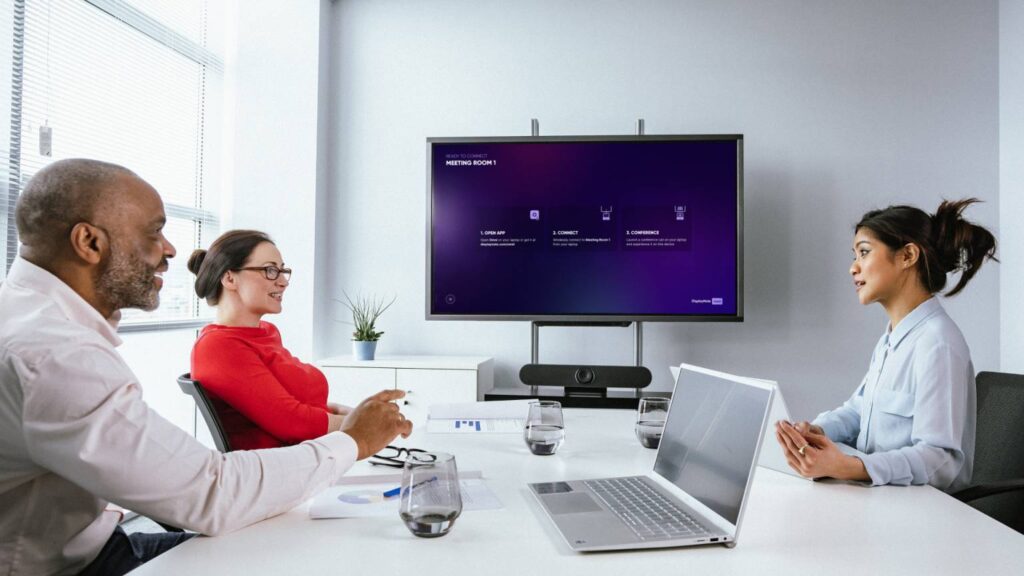
Grainy, laggy, or wide-angle-distorted video breaks the connection between remote and in-room participants. A poor camera signals a lack of professionalism — even if the conversation itself is excellent.
Professional AV cameras provide sharp 4K imaging, intelligent auto-framing, and smooth pan/tilt/zoom — so your remote participants always see who’s speaking, framed correctly, without a camera operator.
Auto-Tracking Cameras
AI-powered cameras that identify and follow the active speaker automatically — no operator needed. The speaker is always centred, always in frame.
Best For
Standard meeting rooms, training rooms
PTZ Cameras
Pan, tilt, and zoom cameras with remote control presets — ideal for larger rooms where different areas of the room need to be captured.
Best For
Boardrooms, lecture theatres, large meeting rooms
Fixed Wide-Angle Cameras
Cost-effective fixed cameras that capture the full room in one shot — ideal for smaller huddle rooms and informal video calls.
Best For
Huddle rooms, small meeting rooms
Dual-Camera Setups
Two-camera configurations that simultaneously show the room and the presentation content — giving remote participants full context.
Best For
Boardrooms, training and education spaces
USB Conference Bars
All-in-one camera, microphone, and speaker bars for desk setups and small spaces — plug-and-play simplicity with professional audio-visual quality.
Best For
Huddle rooms, home offices, hot desks
Camera + Control Integration
Camera presets programmed into your Q-SYS control system — one-touch switching between presenter, audience, and content views.
Best For
Multi-camera boardrooms, lecture theatres
PLATFORM COMPATIBILITY
Certified for Every Major Platform.
All cameras supplied and installed by Ambiant are certified for use with Microsoft Teams, Zoom Rooms, and Google Meet — guaranteed compatibility with no configuration surprises.
Smart gallery view, speaker framing, dual-stream content + camera
Google Meet
Certification Level
Google Meet certified
Key Camera Features Supported
Auto-tracking, full HD/4K, one-touch join compatibility
ROOM-BY-ROOM GUIDE
Which Camera for Which Room?
Room Type
Recommended Camera
Why
Huddle Room (1–4)
USB conference bar
All-in-one simplicity, cost-effective,
excellent for close-range calls
Standard Meeting Room (5–10)
Auto-tracking PTZ
Follows speaker automatically —
no manual pan/tilt needed during calls
Boardroom (10+)
Dual PTZ with presets
Multiple angles, presenter and audience views,
Q-SYS controlled
Classroom
Auto-tracking camera
Teacher tracking — remote students always see
the front of the room
Lecture Theatre
PTZ + fixed wide-angle
Main stage camera + room overview
for full hybrid lecture coverage
WHAT'S INCLUDED WITH EVERY CAMERA INSTALLATION
Fully Configured. Ready to Use.
Camera mounting and professional cabling — no visible cable runs
Platform certification setup (Teams / Zoom / Google Meet)
Auto-framing and preset configuration for your room layout
Q-SYS control system integration (where applicable)
Test call with your team before handover
User training on camera controls and presets
FAQ
Common Questions About Conferencing Cameras
Answers to the questions we get asked most.
What's the difference between an auto-tracking camera and a PTZ camera?
Auto-tracking cameras use AI to automatically follow the active speaker without anyone operating the controls, and suit standard and training rooms. PTZ (pan/tilt/zoom) cameras are controlled remotely with saved presets and suit boardrooms and lecture theatres where set camera positions are reused repeatedly.
Do we need a separate camera, microphone, and speaker, or is there an all-in-one option?
USB conference bars combine a camera, microphone, and speaker into a single unit, which suits desks and small meeting spaces where a full separate-component setup would be unnecessary.
Will a wide-angle camera distort the picture in a small huddle room?
A fixed wide-angle camera is a cost-effective option for huddle and small meeting rooms, but for rooms where distortion or “everyone crammed into a wide shot” is a concern, a dual-camera setup — one for the room, one for presentation content — often gives a clearer result.
Do these cameras work with Teams, Zoom, and Google Meet, or only specific platforms?
All camera options are certified for Microsoft Teams, Zoom Rooms, and Google Meet, with features like auto-framing and smart gallery view supported across platforms rather than locked to one.
How do we know which camera suits our specific room?
Ambiant provides a room-type matching guide correlating room sizes — from huddle rooms through lecture theatres — with the appropriate camera type, and confirms the right fit during consultation and site assessment.
What does installation include beyond just mounting the camera?
Installation covers mounting, cabling, platform setup, auto-framing configuration, Q-SYS integration where relevant, test calls to confirm everything works, and user training.